
Issues with starting SAMSON (Linux/pop-os/X11): Core dumped.
-
Ok. I'm stupid and posted the original topic on the wrong section of the forum! :-P Here it goes again.
Hi,
I'm running Linux (pop-os in particular) running the vanilla X11.
I had SAMSON 4.0.3 previously installed. I downloaded the new version 5.0.3 and run the installer.
After it was done SAMSON would not open. I checked where the .desktop entry path to which SAMSON was being pointed to. The path was a little strange to me (note the /../, it goes up in directory once it goes inside the new folder version for some reason) and I'm not sure why is that.Exec=/home/captainbroccoli/OneAngstrom/SAMSON-Application/5.0.3/../SAMSON
Running ./SAMSON from the terminal gives me the following error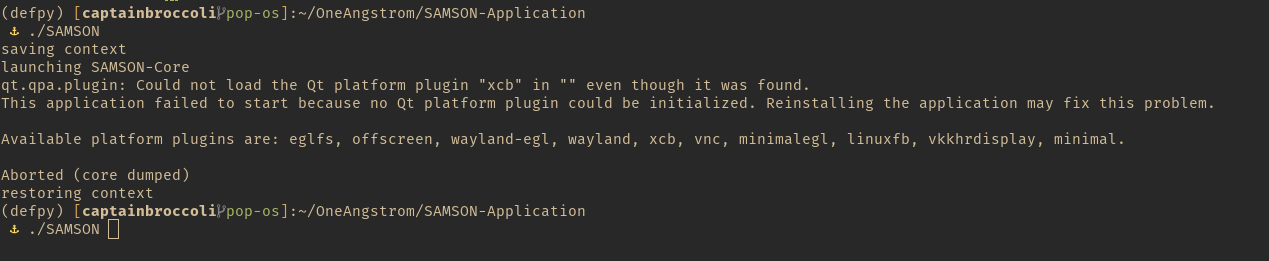
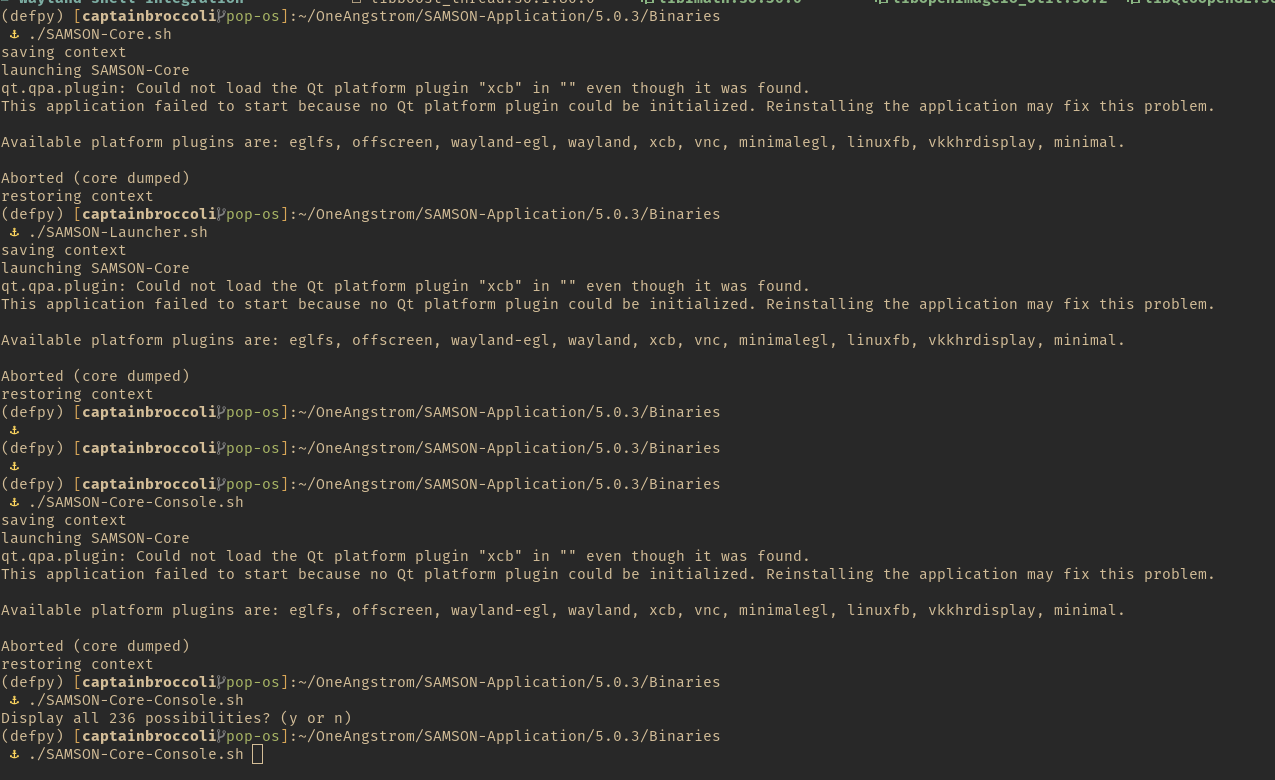
I then went inside the 5.0.3 folder and inside Binaries I found a few binaries on that folder. Tried to run them all. None of them work! :-(
There is supposedly an issue with Qt platform. But I've never had that issue with 4.0.3.
A few questions:
1 - I order to delete/reinstall SAMSON properly, should I just delete the 5.0.3 folder or are there any other folders/file scattered around my home that I should also delete?

2- What are the dependencies that SAMSON needs?

3- Any plans on adding SAMSON to flatpak/snap/apt or some package manager that we all can enjoy and love? I understand that there might be issues with CUDA/NVIDIA support with you are installing from a package manager (similarly to how blender does not see the GPU if it's installed from flatpack or apt), but I hope you can circumvent this.

4 - 4.0.3 opens normally if I go inside the folder and run the binary.
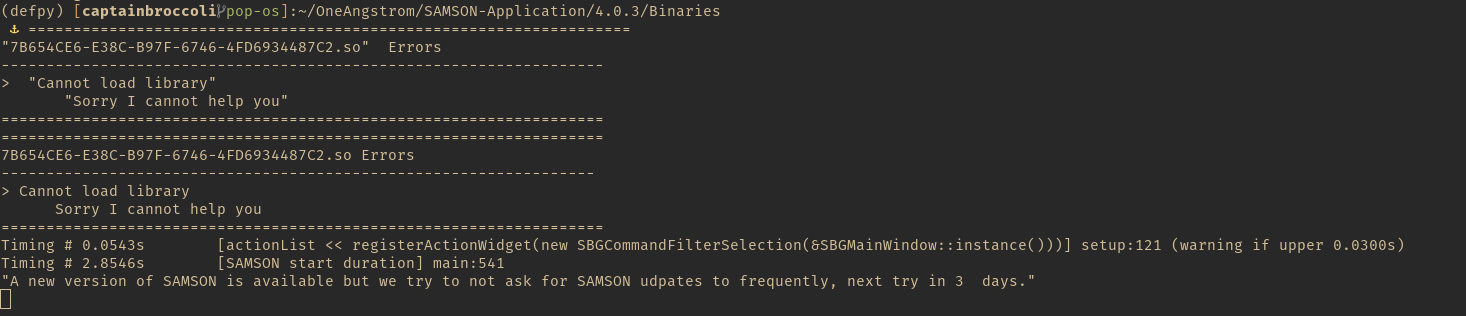
Suggestion: I get a message about an updated. In my opinion since it's a bit of a big update you might want to poke the user more frequently, specially because the new version is much better than the one before.
PS: I have no clue why parts of my message are in bold or red. Sorry about that.
-
Ok. I'm stupid and posted the original topic on the wrong section of the forum! :-P Here it goes again.
Hi,
I'm running Linux (pop-os in particular) running the vanilla X11.
I had SAMSON 4.0.3 previously installed. I downloaded the new version 5.0.3 and run the installer.
After it was done SAMSON would not open. I checked where the .desktop entry path to which SAMSON was being pointed to. The path was a little strange to me (note the /../, it goes up in directory once it goes inside the new folder version for some reason) and I'm not sure why is that.Exec=/home/captainbroccoli/OneAngstrom/SAMSON-Application/5.0.3/../SAMSON
Running ./SAMSON from the terminal gives me the following errorI then went inside the 5.0.3 folder and inside Binaries I found a few binaries on that folder. Tried to run them all. None of them work! :-(
There is supposedly an issue with Qt platform. But I've never had that issue with 4.0.3.
A few questions:
1 - I order to delete/reinstall SAMSON properly, should I just delete the 5.0.3 folder or are there any other folders/file scattered around my home that I should also delete?

2- What are the dependencies that SAMSON needs?

3- Any plans on adding SAMSON to flatpak/snap/apt or some package manager that we all can enjoy and love? I understand that there might be issues with CUDA/NVIDIA support with you are installing from a package manager (similarly to how blender does not see the GPU if it's installed from flatpack or apt), but I hope you can circumvent this.

4 - 4.0.3 opens normally if I go inside the folder and run the binary.
Suggestion: I get a message about an updated. In my opinion since it's a bit of a big update you might want to poke the user more frequently, specially because the new version is much better than the one before.
PS: I have no clue why parts of my message are in bold or red. Sorry about that.
Hi @Filipe ,
Sorry about the issue. You might need to install some xcb libraries which we do not ship with SAMSON.
For Ubuntu or Debian-like distros:
sudo apt install libxcb-cursor0For CentOS:
sudo dnf install xcb-util*Please let us know if it solves the issue.
To uninstall SAMSON on Linux, see:
https://documentation.samson-connect.net/users/latest/user_guide_f_a_q.html#UninstallSAMSONOnLinux -
Ok. I'm stupid and posted the original topic on the wrong section of the forum! :-P Here it goes again.
Hi,
I'm running Linux (pop-os in particular) running the vanilla X11.
I had SAMSON 4.0.3 previously installed. I downloaded the new version 5.0.3 and run the installer.
After it was done SAMSON would not open. I checked where the .desktop entry path to which SAMSON was being pointed to. The path was a little strange to me (note the /../, it goes up in directory once it goes inside the new folder version for some reason) and I'm not sure why is that.Exec=/home/captainbroccoli/OneAngstrom/SAMSON-Application/5.0.3/../SAMSON
Running ./SAMSON from the terminal gives me the following errorI then went inside the 5.0.3 folder and inside Binaries I found a few binaries on that folder. Tried to run them all. None of them work! :-(
There is supposedly an issue with Qt platform. But I've never had that issue with 4.0.3.
A few questions:
1 - I order to delete/reinstall SAMSON properly, should I just delete the 5.0.3 folder or are there any other folders/file scattered around my home that I should also delete?

2- What are the dependencies that SAMSON needs?

3- Any plans on adding SAMSON to flatpak/snap/apt or some package manager that we all can enjoy and love? I understand that there might be issues with CUDA/NVIDIA support with you are installing from a package manager (similarly to how blender does not see the GPU if it's installed from flatpack or apt), but I hope you can circumvent this.

4 - 4.0.3 opens normally if I go inside the folder and run the binary.
Suggestion: I get a message about an updated. In my opinion since it's a bit of a big update you might want to poke the user more frequently, specially because the new version is much better than the one before.
PS: I have no clue why parts of my message are in bold or red. Sorry about that.
About adding SAMSON to Linux package managers. We considered this, but there are quite a number of limitations.
-
-
Hi Dimitry! Oh awesome. The documentation indeed is very complete and it was my bad for not seeing it. It seems to work now. I'll come back if there any issues.
Best wishesFilipe
Great! I am glad that it worked!
Do not hesitate to contact us if you have any questions or feedback.

Hello! It looks like you're interested in this conversation, but you don't have an account yet.
Getting fed up of having to scroll through the same posts each visit? When you register for an account, you'll always come back to exactly where you were before, and choose to be notified of new replies (either via email, or push notification). You'll also be able to save bookmarks and upvote posts to show your appreciation to other community members.
With your input, this post could be even better 💗
Register Login