
Increase font and icons size

-
Hi,
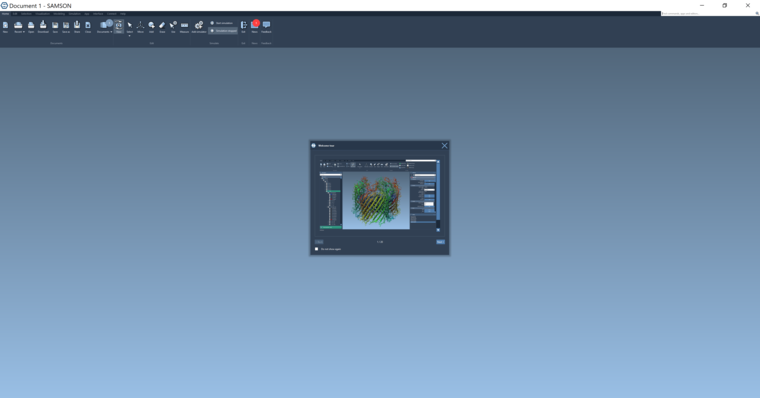
I just installed Samson on my 2019 Dell XPS 13, but the program is barely usable as of now because the fonts and the icons are all incredibly small. My screen is high resolution and sometimes I have this problem on some devices.
Does anybody know how to fix this?
Below is a picture of what Samson looks like on my 13 laptop screen - as you can imagine I can barely read the text.
-
Hi Ferdinando,
Thank you for your interest in SAMSON.
It is a common issue with high resolution screens (I had the same one), here is how to solve it (:- Right click on the SAMSON shortcut (or on the SAMSON-Core.exe file under C:\Users*your_user_name*\OneAngstrom\SAMSON-Application\0.8.5\Binaries)
- Open the properties window and go to the compatibility tab.
- Click on the button "change the high ppp settings"
- Check the "high ppp scaling replacement" checkbox and choose the second item of the combobox list called "System".
Tells us if this solved your issue.
Yassine -
Many thanks, this worked great :)
-
-
Found it: prefix the executed command with (select your scale factor as needed):
QT_SCALE_FACTOR=1.5
In my case the command looks like this:
QT_SCALE_FACTOR=1.5 <install path>/OneAngstrom/SAMSON-Application/0.12.0/../SAMSON
You can modify the desktop file or simply execute from the command line -
Found it: prefix the executed command with (select your scale factor as needed):
QT_SCALE_FACTOR=1.5
In my case the command looks like this:
QT_SCALE_FACTOR=1.5 <install path>/OneAngstrom/SAMSON-Application/0.12.0/../SAMSON
You can modify the desktop file or simply execute from the command line@aaa Thank you for reporting your solution here!


Hello! It looks like you're interested in this conversation, but you don't have an account yet.
Getting fed up of having to scroll through the same posts each visit? When you register for an account, you'll always come back to exactly where you were before, and choose to be notified of new replies (either via email, or push notification). You'll also be able to save bookmarks and upvote posts to show your appreciation to other community members.
With your input, this post could be even better 💗
Register Login