
Designing a polymer
-
-
Dear Elsaid,
we just released an update of the editors which makes it possible to use the current selection to build. This should make it easier to build any polymer you want by repeatedly adding larger and larger groups.
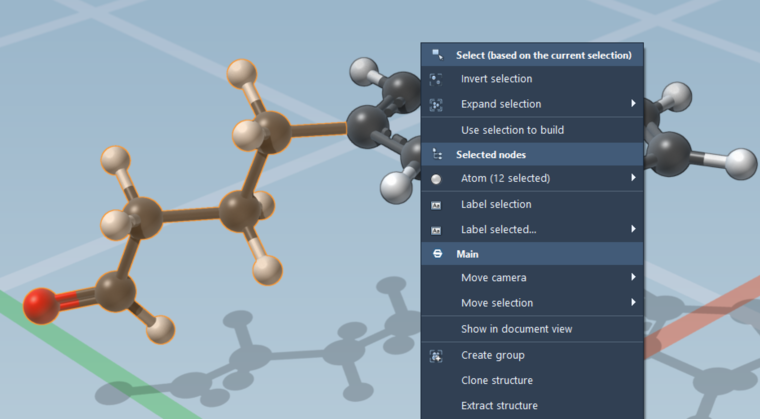
When using the Rectangle selection editor (the default editor, shortcut R), show the context menu (either by right-clicking in the viewport, right-clicking in the Document view, or clicking the green selection widget in the Document view). The third context menu action is Use selection to build:
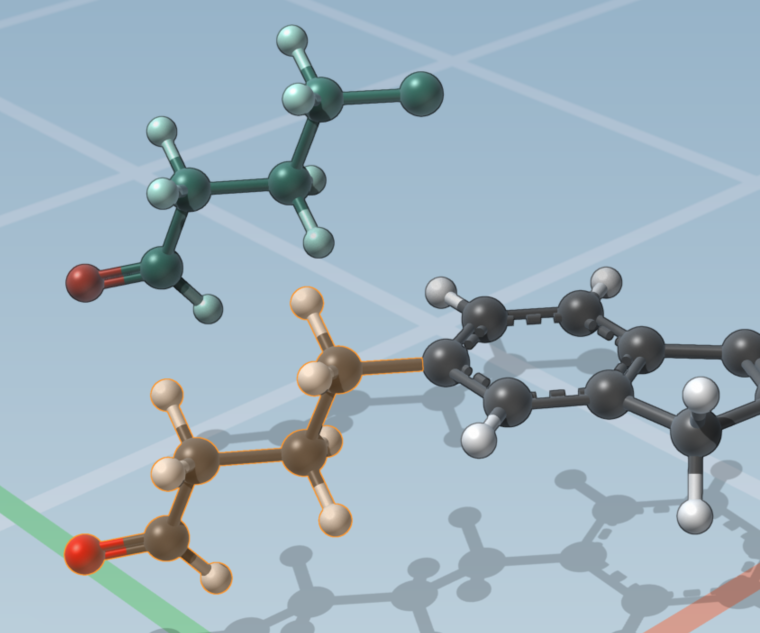
Clicking this action automatically switches to the Add editor ands use the selection as a building fragment:
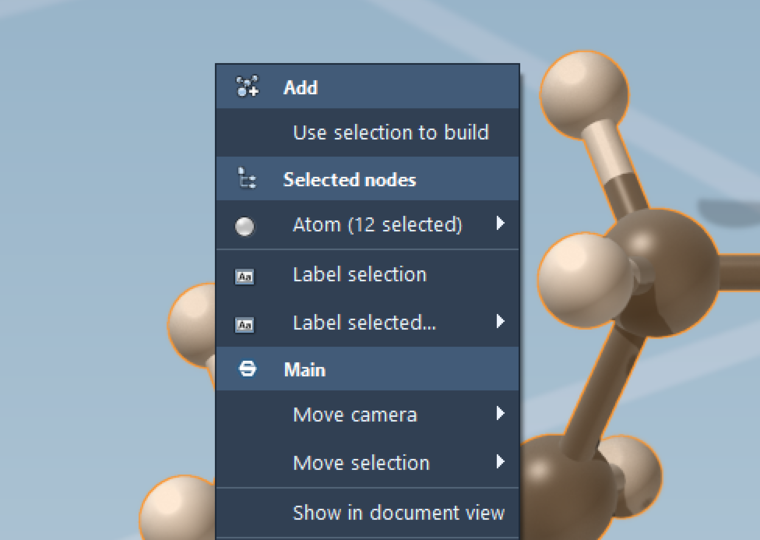
The Use selection to build action is also available in the context menu when the Add editor (shortcut A), Edit bonds editor (shortcut B) and Edit charges editor (shortcut C) are active. Here it is for example in the Add editor:
Best regards,
The SAMSON team at OneAngstrom

Hello! It looks like you're interested in this conversation, but you don't have an account yet.
Getting fed up of having to scroll through the same posts each visit? When you register for an account, you'll always come back to exactly where you were before, and choose to be notified of new replies (either via email, or push notification). You'll also be able to save bookmarks and upvote posts to show your appreciation to other community members.
With your input, this post could be even better 💗
Register Login