
Visualizing hydrogen atoms
-
-
Hi Chris,
Here is the short answer. Copy-paste this expression in the Document view:
(n.t a or n.t b) and not ((H l (n.t a and !a.het)) or (n.t b l (H l (n.t a and !a.het))))and press Enter. This will select all atoms and bonds, except the hydrogens that are linked to non-heteroatoms and their bonds:
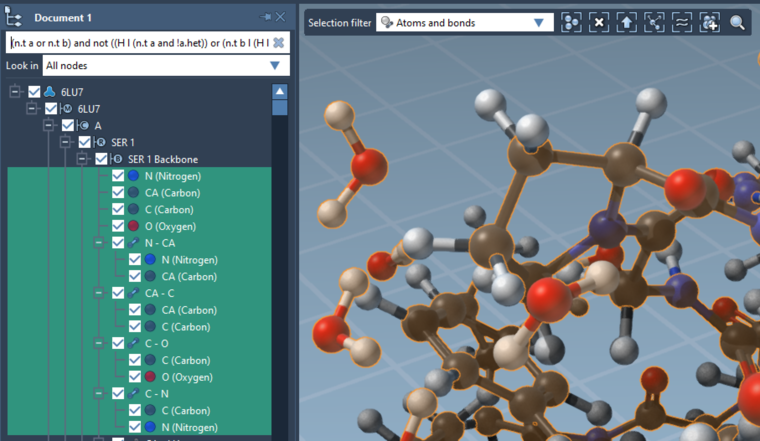
You can then apply a ball-and-stick model.
Detailed explanation
It's possible to do this using the Node Specification Language (NSL), by combining different operators.
Let's do this step by step.
Finding heteroatoms
First, to select heteroatoms, you would use this NSL expression:
atom.hetatmAs everything in the NSL, there is a short version:
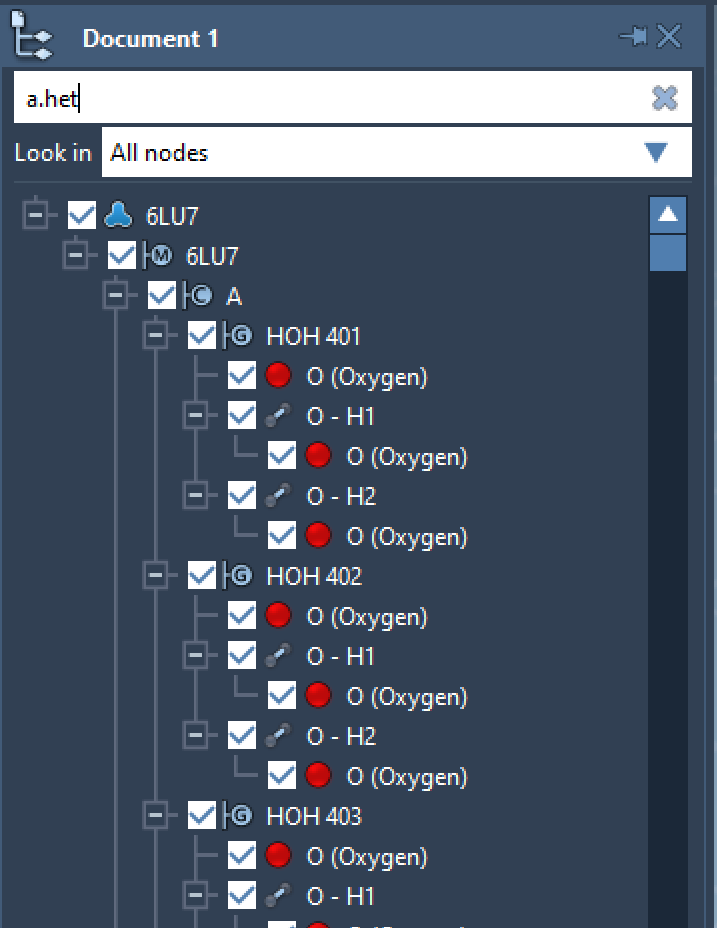
a.hetYou can use this expression when searching atoms with the Find command (Ctrl / Cmd + F), or in the Document View.
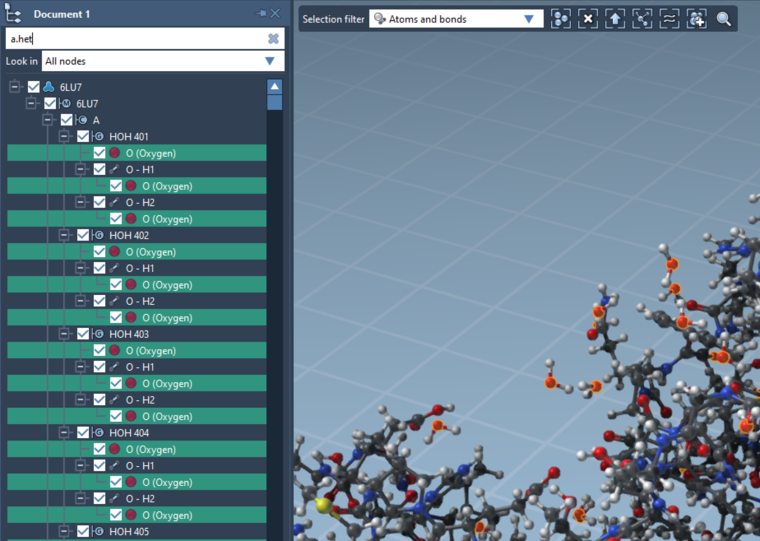
Here is what happens when typing a.het in the Document view for 6LU7 (after hydrogens have been added using Biology > Add H by res. type):
After pressing Enter, the heteroatoms are selected:
Finding bonded hydrogens
If you want to select the hydrogens linked to heteroatoms, you would use the
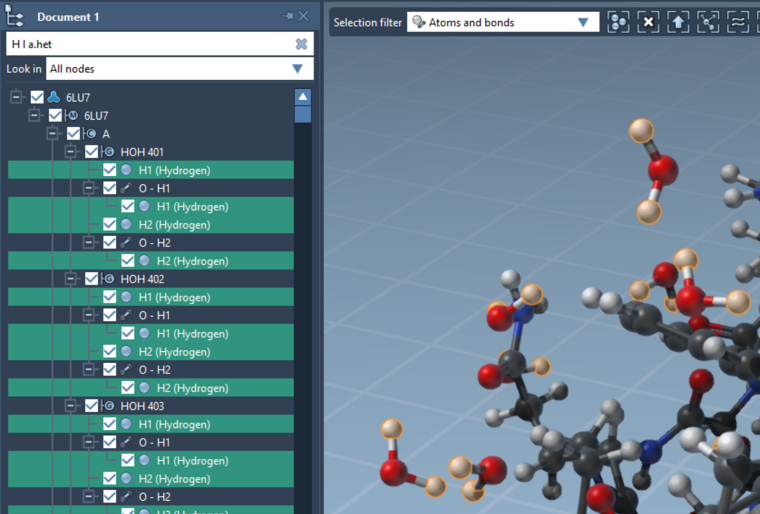
linkingoperator:H linking atom.hetatmwhich matches all hydrogens covalently linked to heteroatoms.
The short version is:
H l a.hetHere's what happens in this case:
(Similarly, if you wanted to select hydrogens covalently linked to oxygens or nitrogens, you would use
H l (O or N).)Finding bonds
Now, the NSL query to find bonds is
node.type bond(short versionn.t b).If order to find the bonds which are involving heteratoms' hydrogens, we can thus use:
node.type bond linking (H linking atom.hetatm)(short version
n.t b l (H l a.het))Using this expression gives:
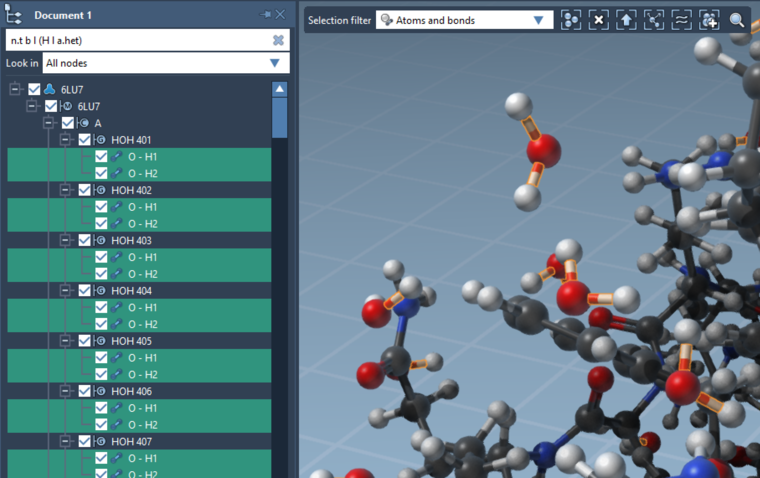
Finding heteroatoms' hydrogens and their bonds
To select both the hydrogens and the relevant bonds, we use the
oroperator:(H linking atom.hetatm) or (node.type bond linking (H linking atom.hetatm))The short version is becoming more and more useful:
(H l a.het) or (n.t b l (H l a.het))Finding hydrogens of non-heteroatoms, and their bonds
Similarly, to find hydrogens of non-heteroatoms you would use:
H linking (node.type atom and !atom.hetatm)(hydrogens linking atoms that are not heteroatoms)Short version:
H l (n.t a and !a.het)And, to find bonds connected to these hydrogens, you would use:
n.t b l (H l (n.t a and !a.het))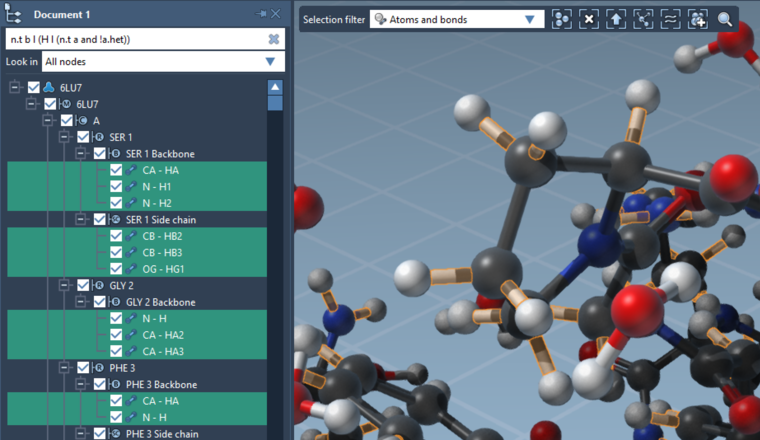
To find both hydrogens and bonds, you would thus use:
(H l (n.t a and !a.het)) or (n.t b l (H l (n.t a and !a.het)))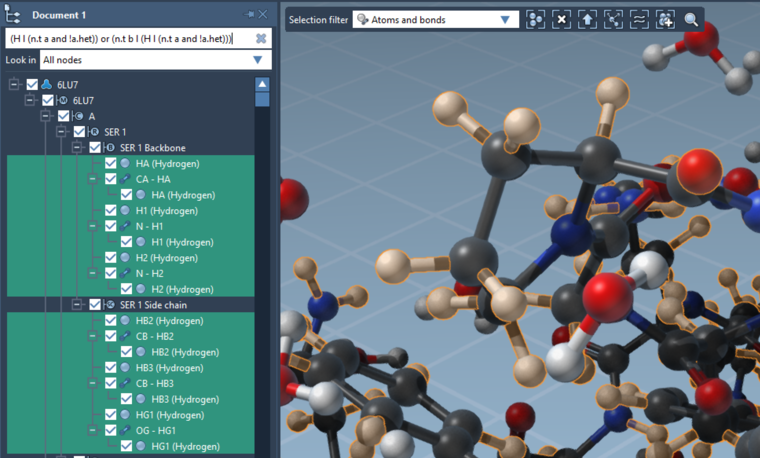
Finding all atoms and bonds, except non-heteroatoms' hydrogens and their bonds
To select all atoms and bonds, you would use
n.t a or n.t b.To select all atoms and bonds, except non-heteroatoms' hydrogens and their bonds, you would thus use:
(n.t a or n.t b) and not ((H l (n.t a and !a.het)) or (n.t b l (H l (n.t a and !a.het))))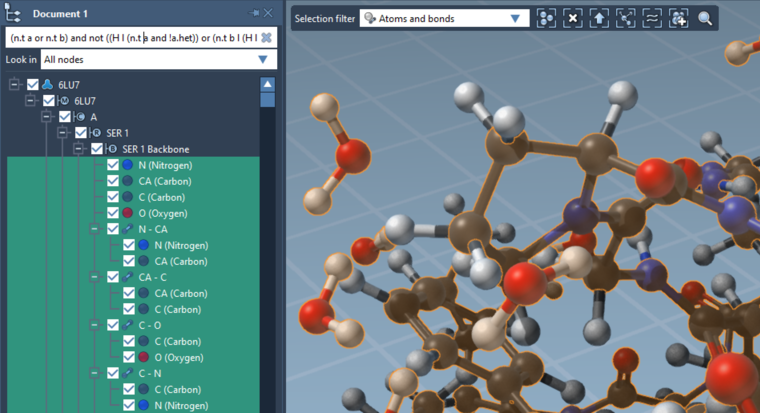
-
-
If you have other advanced selections that you'd like to perform frequently, please let us know. We could turn them into menu commands.
Note that it's possible to save a NSL expression as a filter, to reuse it easily. To do this, use the Find command (Ctrl / Cmd + F), enter your NSL expression, and click on the Save button to give a name to your expression:
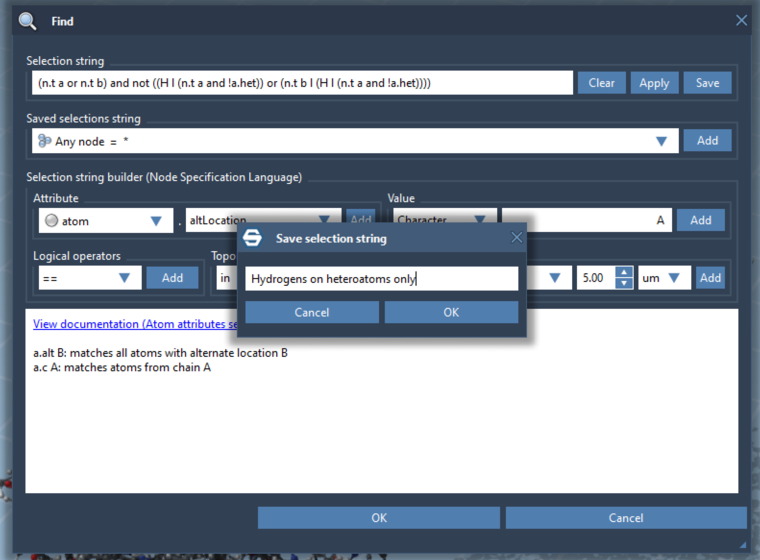
Press OK to save the selection, then press OK again to select.
You can then use this saved expression as a selection filter (top-left part of the viewport):
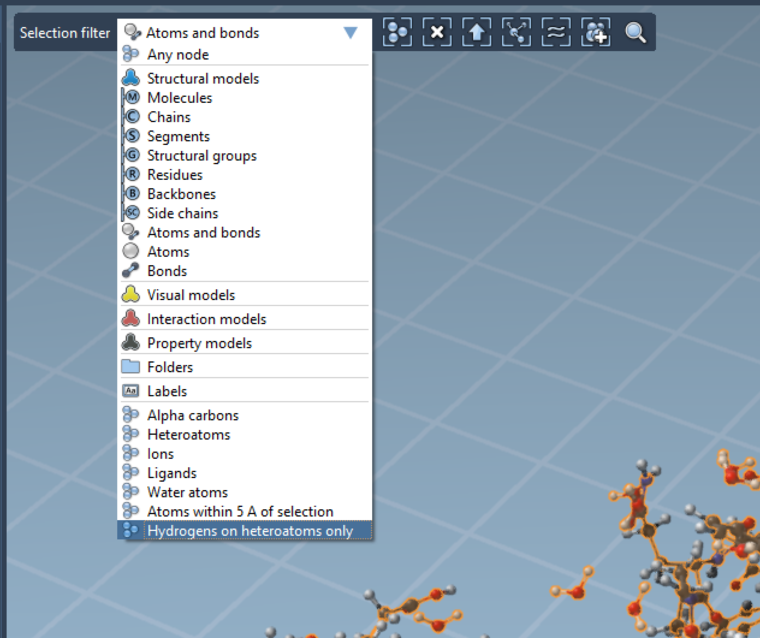
Then, you can easily redo the selection by clicking on Select all, or pressing Ctrl / Cmd + A.
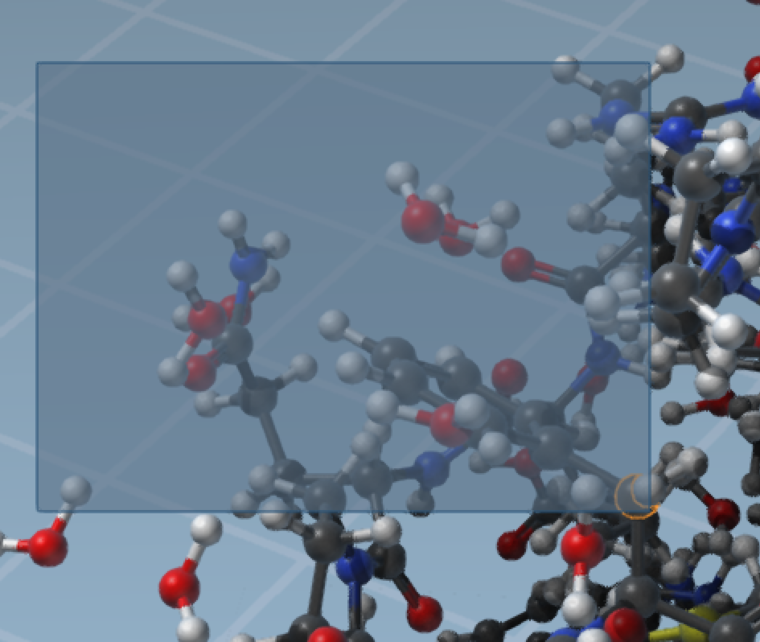
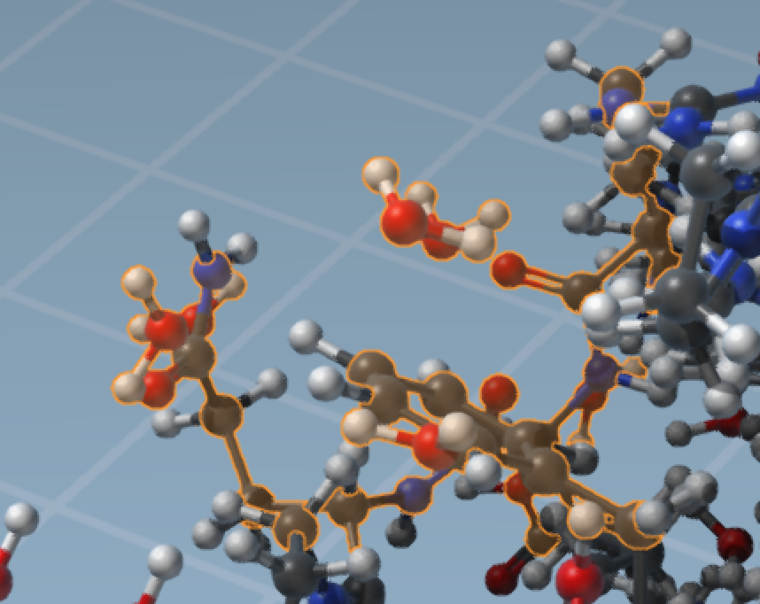
You can even perform finer selections using the mouse, and this will only select corresponding atoms:
-

Hello! It looks like you're interested in this conversation, but you don't have an account yet.
Getting fed up of having to scroll through the same posts each visit? When you register for an account, you'll always come back to exactly where you were before, and choose to be notified of new replies (either via email, or push notification). You'll also be able to save bookmarks and upvote posts to show your appreciation to other community members.
With your input, this post could be even better 💗
Register Login