
SAMSON with hybrid graphics cards (Intel/Nvidia)
-
It is really strange, that even if I tried to run it with
optirunorprimusrunin about dialog it showing, that I still using Intel HD card.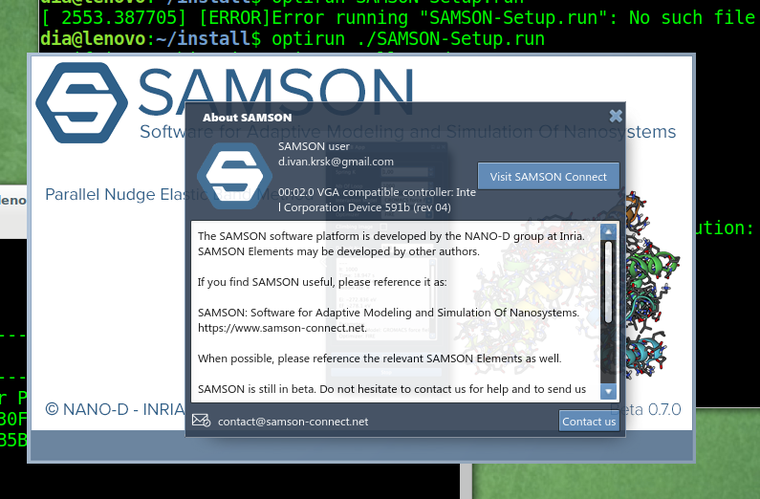
I think there is some hidden restart of application GUI inside some python stuff, so really it does not use Nvidia card at all.
-
@Ivan
Unfortunately, I do not have a laptop with linux and an Nvidia Optimus GPU now.Do you have the
Nouveaudriver blacklisted or uninstalled? Because it causes some issues on Nvidia Optimus GPUs.
Does optimus/bumblebee work for you in other apps? What happens if you, for example, execute in the terminal:optirun glxgearsDoes
primusrunwork for you?optirunrelies onVirtualGLwhich might cause the issue you have.Do you have the
Nouveaudriver blacklisted or uninstalled? Because it causes some issues on Nvidia Optimus GPUs.Yes.
dia@lenovo:~$ cat /etc/modprobe.d/nvidia-blacklists-nouveau.conf # You need to run "update-initramfs -u" after editing this file. # see #580894 blacklist nouveau -
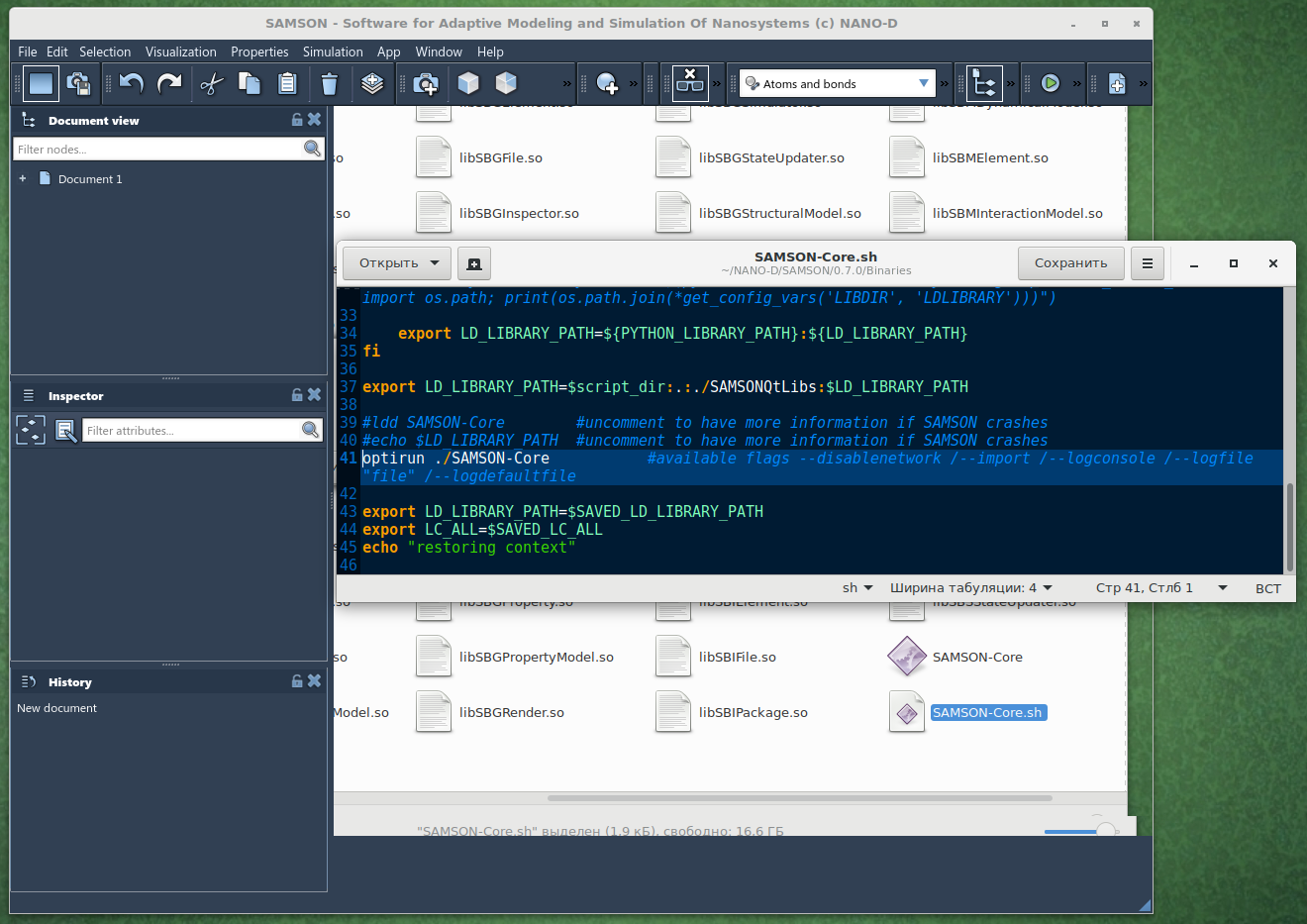
Python is not used by SAMSON, Python is present in the launching script just to add a path to its libraries so that users could use the Python Scripting Element. So you can safely comment the Python-related block in the launching script if you are not using the Python Scripting Element.
The information you see in the About dialogue (or in Preferences > Installation > General) shows all the graphics cards, meaning that it can show both CPU and GPU. But in your case, the SAMSON installer could not find your Nvidia GPU.
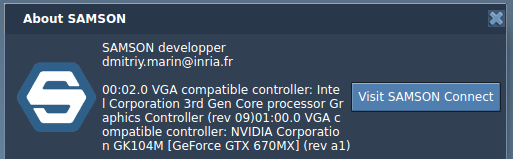
Personally, I used SAMSON before on a laptop with Linux (Ubuntu) equipped with Nvidia GeForge GTX 670MX GPU (which has Optimus technology) but without Bumblebee/optirun installed. So the problem seems to be either in SAMSON not being able to properly detect GPU or lack of some drivers.
How did you install SAMSON? With optirun or without? Does it give you the same behavior in both cases?
-
Have you tried to install SAMSON with
primusrunand then launching SAMSON with it?If there is a configuration file for optirun/primusrun which allows specifying which apps should use GPU you may try specifying GPU for SAMSON.
Is it possible for you to try with
nvidia-prime? It should provide better OpenGL support compared tooptirunsinceoptirunhas an additional layerVirtualGLwhich might be causing this issue.Dmitriy,
The SAMSON Team, https://s-c.io -
Have you tried to install SAMSON with
primusrunand then launching SAMSON with it?If there is a configuration file for optirun/primusrun which allows specifying which apps should use GPU you may try specifying GPU for SAMSON.
Is it possible for you to try with
nvidia-prime? It should provide better OpenGL support compared tooptirunsinceoptirunhas an additional layerVirtualGLwhich might be causing this issue.@dmitriymarin said in SAMSON with hybrid graphics cards (Intel/Nvidia):
Have you tried to install SAMSON with
primusrunand then launching SAMSON with it?I tried, and that did not help.
If there is a configuration file for optirun/primusrun which allows specifying which apps should use GPU you may try specifying GPU for SAMSON.
There is no such a file :( It is controlled by the prefix in the command line when I calling the app.
Is it possible for you to try with
nvidia-prime? It should provide better OpenGL support compared tooptirunsinceoptirunhas an additional layerVirtualGLwhich might be causing this issue.I have no such a command
nvidia-prime... If I understand correct,primusrunhave no such an extra layer. -
@dmitriymarin said in SAMSON with hybrid graphics cards (Intel/Nvidia):
Have you tried to install SAMSON with
primusrunand then launching SAMSON with it?I tried, and that did not help.
If there is a configuration file for optirun/primusrun which allows specifying which apps should use GPU you may try specifying GPU for SAMSON.
There is no such a file :( It is controlled by the prefix in the command line when I calling the app.
Is it possible for you to try with
nvidia-prime? It should provide better OpenGL support compared tooptirunsinceoptirunhas an additional layerVirtualGLwhich might be causing this issue.I have no such a command
nvidia-prime... If I understand correct,primusrunhave no such an extra layer.@ivan said in SAMSON with hybrid graphics cards (Intel/Nvidia):
I tried, and that did not help.
Apparently, SAMSON might be having a problem properly detecting your GPU during the installation, even with
primusrun.Nvidia PRIME does not go with Bumblebee/optirun/primusrun, it is an Nvidia technology and it also allows one to switch between CPU and Nvidia GPU without additional layers giving a direct OpenGL access, which is more preferable. It is done via GPU offloading. But it comes with a downside: for a switch between CPU and GPU to take an effect one needs to log out and log in back (OS needs to do some re-initializations).
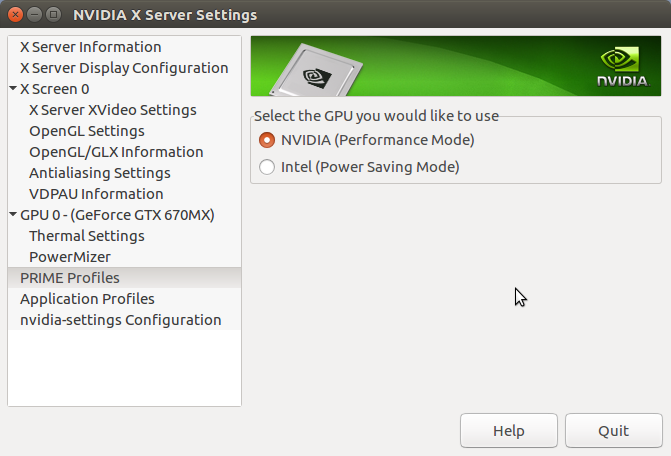
You can check whether you have Nvidia PRIME or not in the Nvidia X Server Settings. Nvidia PRIME is either installed together with an nvidia proprietary driver or you can install it via (after installing nvidia proprietary drivers):sudo apt install nvidia-primeNote: To use Nvidia PRIME you might need to remove Bumblebee/optirun/primusrun.
Note: In case, if you are using Nvidia PRIME, SAMSON should be installed with an active Nvidia GPU and to use SAMSON it would be necessary to enable to Nvidia GPU.
Personally, on my laptop with Ubuntu 16.04 and equipped with Nvidia GeForce GTX 670MX I have the
nvidia-384driver installed with Nvidia PRIME. I had Bumblebee installed many years ago, but I could not make it work with CUDA.
-
-
-
I installed Linux Mint 19.1 and installed nvidia-driver-390. Now interface has no such troubles. Thank you for advices.
@Ivan
Great! I am glad that you solved the issue! Apparently, it was a problem with drivers. Do you use primusrun/optirun or just nvidia GPU directly?Dmitriy,
The SAMSON Team, https://s-c.io -
@ivan
Yes, sorry, it can consume quite a lot sometimes. For me, for example, just the interface consumes sometimes 30-50% of one CPU core. To decrease the CPU consumption, you can hide the Document view (Ctrl/Cmd+1) or the Inspector (Ctrl/Cmd+I) when you do not need them. There is an issue with them which causes such consumption. It will be fixed in the next version of SAMSON.Dmitriy,
The SAMSON Team, https://s-c.io -
@Ivan
Great! I am glad that you solved the issue! Apparently, it was a problem with drivers. Do you use primusrun/optirun or just nvidia GPU directly?@dmitriymarin Now I am using Nvidia PRIME like you showed in screenshot above. I do not think, that it is driver issue, but it is how you utilize them. I am also developing some software with OpenGL, however by using lower version API (1.2). So it works both Intel and Nvidia cards. I think, that advanced functions like in OpenGL 3.2 should be used using procedure addresses like it is doing with SDL_GL_GetProcAddress.
-
@ivan
Yes, sorry, it can consume quite a lot sometimes. For me, for example, just the interface consumes sometimes 30-50% of one CPU core. To decrease the CPU consumption, you can hide the Document view (Ctrl/Cmd+1) or the Inspector (Ctrl/Cmd+I) when you do not need them. There is an issue with them which causes such consumption. It will be fixed in the next version of SAMSON.@dmitriymarin said in SAMSON with hybrid graphics cards (Intel/Nvidia):
@ivan
Yes, sorry, it can consume quite a lot sometimes. For me, for example, just the interface consumes sometimes 30-50% of one CPU core. To decrease the CPU consumption, you can hide the Document view (Ctrl/Cmd+1) or the Inspector (Ctrl/Cmd+I) when you do not need them. There is an issue with them which causes such consumption. It will be fixed in the next version of SAMSON.Will wait :) SAMSON has very cute interface, however such cost of one core for that it is not acceptable!
-
Dear @Ivan ,
Thanks to issues raised on the forum, we have fixed the issue in SAMSON causing problems with the viewport when using Intel integrated graphics processor. This issue might have been causing the problem you have posted in this thread. The new installation of SAMSON should resolve the issue.


Hello! It looks like you're interested in this conversation, but you don't have an account yet.
Getting fed up of having to scroll through the same posts each visit? When you register for an account, you'll always come back to exactly where you were before, and choose to be notified of new replies (either via email, or push notification). You'll also be able to save bookmarks and upvote posts to show your appreciation to other community members.
With your input, this post could be even better 💗
Register Login