
Manually Add Hydrogen Bonds
-
Hi! Posting this as a feature request as I was not able to find a way do it. I would love to be able to customize bonds a little more: specifically, hydrogen bonds are only added via the Hydrogen Bond Finder tool, which can at times not recognize some non-covalent interactions that I would like to visualize. I imagine this could be done perhaps by manually adding a bond and adding the ability to modify its appearance to make them dashed, just like Atoms have a "Display" option to be set in the Inspector. Similarly, during Presentations when molecular fragments move, these dashed bonds could ideally behave like Hydrogen Bonds (appear only when donor and acceptor are close enough) instead of normal bonds (always show regardless of the distance).
I never looked into developing extensions for SAMSON, but if this sounds like some manageable problem and somebody is able to point me in the right direction, I would be happy to take a stab at it!
Best,
Nick -
-
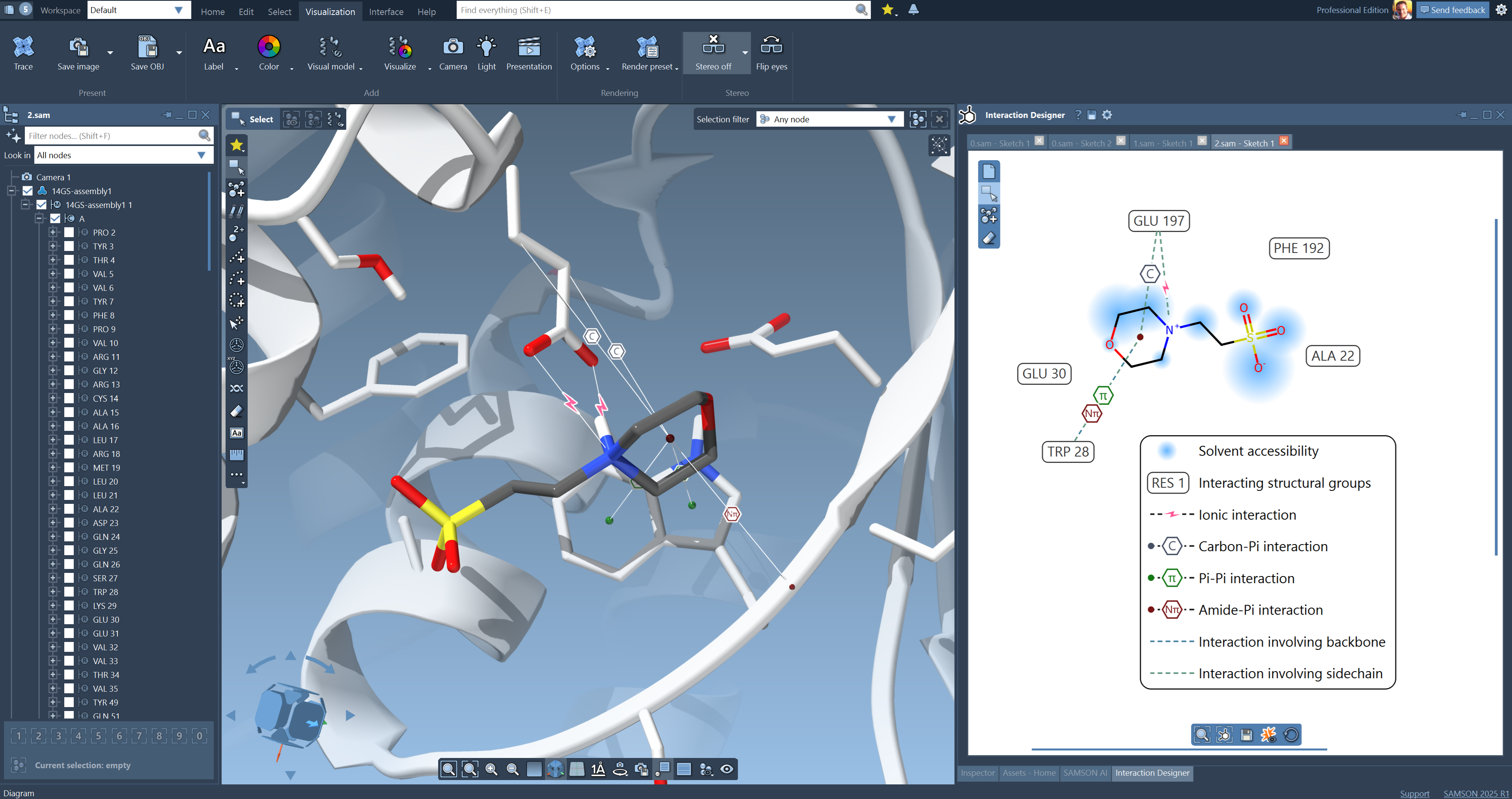
Hi, thank you for the swift reply! I tried the Interaction Designer but it was not quite what I was looking for. The transition state structures I am working with seem more challenging for the software, and I would like to specify/toggle each interaction myself, if possible (including potentially deleting individual hydrogen bonds that are automatically generated by the Hydrogen Bond Finder tool).
-
Hi, thank you for the swift reply! I tried the Interaction Designer but it was not quite what I was looking for. The transition state structures I am working with seem more challenging for the software, and I would like to specify/toggle each interaction myself, if possible (including potentially deleting individual hydrogen bonds that are automatically generated by the Hydrogen Bond Finder tool).
Hi @Nicolo-0 ,
We have exposed H-bond functionality in our Python API - now you can generate H-bonds using Python scripting in SAMSON. See SBHydrogenBondGroup, SBHydrogenBond.
You can:
- specify for which systems to generate H-bonds
- remove H-bonds
- add H-bonds
Note: H-bonds are stored within an H-bond group, which itself is stored in a structural model. On the other hand, the Hydrogen Bond Finder provides the results as just a visual model for some historical/performance reasons.
Here is a sample code to add H-bonds based on a structural model or between receptors and ligands (see Python Scripting Guide: Selecting for more information on how to get nodes):
### create H-bonds

# get an indexer of all structural models in the active document
structural_model_indexer = SAMSON.getNodes("node.type structuralModel")
# get the first structural model
structural_model = structural_model_indexer[0]

# get an indexer with receptor and ligand nodes
receptor_indexer = SAMSON.getNodes("node.category receptor")
ligand_indexer = SAMSON.getNodes("node.category ligand")

with SAMSON.holding("Add H-bonds"):
    # create an H-bond group object between atoms in a single node indexer
    h_bond_group = SBHydrogenBondGroup("H-bonds", structural_model_indexer)
    # create an H-bond group object between atoms in two node indexers
    #h_bond_group = SBHydrogenBondGroup("H-bonds between receptor and ligand", receptor_indexer, ligand_indexer)

    # compute H-bonds
    h_bond_group.update()

    # hold the node for undo/redo
    SAMSON.hold(h_bond_group)
    # create the H-bond group
    h_bond_group.create()

    # add the node to the active document
    structural_model.addChild(h_bond_group)
The newly created H-bond group will be placed in the structural model - expand it in the Document view to see it. You can access its options by selecting it and opening the Inspector.
You can remove H-bonds from an H-bond group based on some criteria, e.g., based on the donor-acceptor distance:
### remove some H-bonds from the H-bond group

# get H-bonds from the H-bond group, exclude the H-bond group itself
hbond_indexer = h_bond_group.getNodes("not n.t hbg")

print(f"The total number of computed H-bonds is {len(hbond_indexer)}")

with SAMSON.holding("Remove some H-bonds"):
    for hbond in hbond_indexer:
        if hbond.donorAcceptorDistance > SBQuantity.angstrom(3.5):
            print(hbond)
            h_bond_group.removeChild(hbond)

updated_hbond_indexer = h_bond_group.getNodes("not n.t hbg")
print(f"The total number of computed H-bonds is {len(updated_hbond_indexer)}")
You can also add new H-bonds in a H-bond group, as follows:
### add an H-bond in the H-bond group

with SAMSON.holding("Add new H-bonds"):
    # create an H-bond object based on already defined acceptor, donor, and (optionally) hydrogen atoms
    hbond = SBHydrogenBond(acceptor, donor) #, hydrogen
    # hold the node for undo/redo
    SAMSON.hold(hbond)
    # create the H-bond
    hbond.create()

    h_bond_group.addChild(hbond)
Let me know if you have any questions or require some help.
-
Hi @Nicolo-0 ,
We have exposed H-bond functionality in our Python API - now you can generate H-bonds using Python scripting in SAMSON. See SBHydrogenBondGroup, SBHydrogenBond.
You can:
- specify for which systems to generate H-bonds
- remove H-bonds
- add H-bonds
Note: H-bonds are stored within an H-bond group, which itself is stored in a structural model. On the other hand, the Hydrogen Bond Finder provides the results as just a visual model for some historical/performance reasons.
Here is a sample code to add H-bonds based on a structural model or between receptors and ligands (see Python Scripting Guide: Selecting for more information on how to get nodes):
### create H-bonds

# get an indexer of all structural models in the active document
structural_model_indexer = SAMSON.getNodes("node.type structuralModel")
# get the first structural model
structural_model = structural_model_indexer[0]

# get an indexer with receptor and ligand nodes
receptor_indexer = SAMSON.getNodes("node.category receptor")
ligand_indexer = SAMSON.getNodes("node.category ligand")

with SAMSON.holding("Add H-bonds"):
    # create an H-bond group object between atoms in a single node indexer
    h_bond_group = SBHydrogenBondGroup("H-bonds", structural_model_indexer)
    # create an H-bond group object between atoms in two node indexers
    #h_bond_group = SBHydrogenBondGroup("H-bonds between receptor and ligand", receptor_indexer, ligand_indexer)

    # compute H-bonds
    h_bond_group.update()

    # hold the node for undo/redo
    SAMSON.hold(h_bond_group)
    # create the H-bond group
    h_bond_group.create()

    # add the node to the active document
    structural_model.addChild(h_bond_group)
The newly created H-bond group will be placed in the structural model - expand it in the Document view to see it. You can access its options by selecting it and opening the Inspector.
You can remove H-bonds from an H-bond group based on some criteria, e.g., based on the donor-acceptor distance:
### remove some H-bonds from the H-bond group

# get H-bonds from the H-bond group, exclude the H-bond group itself
hbond_indexer = h_bond_group.getNodes("not n.t hbg")

print(f"The total number of computed H-bonds is {len(hbond_indexer)}")

with SAMSON.holding("Remove some H-bonds"):
    for hbond in hbond_indexer:
        if hbond.donorAcceptorDistance > SBQuantity.angstrom(3.5):
            print(hbond)
            h_bond_group.removeChild(hbond)

updated_hbond_indexer = h_bond_group.getNodes("not n.t hbg")
print(f"The total number of computed H-bonds is {len(updated_hbond_indexer)}")
You can also add new H-bonds in a H-bond group, as follows:
### add an H-bond in the H-bond group

with SAMSON.holding("Add new H-bonds"):
    # create an H-bond object based on already defined acceptor, donor, and (optionally) hydrogen atoms
    hbond = SBHydrogenBond(acceptor, donor) #, hydrogen
    # hold the node for undo/redo
    SAMSON.hold(hbond)
    # create the H-bond
    hbond.create()

    h_bond_group.addChild(hbond)
Let me know if you have any questions or require some help.
@DmitriyMarin Hi Dmitriy, thanks a lot, this looks amazing! I will look into it and let you know if I have any questions.
My best,
Nick -
Hi @Nicolo-0 ,
We have exposed H-bond functionality in our Python API - now you can generate H-bonds using Python scripting in SAMSON. See SBHydrogenBondGroup, SBHydrogenBond.
You can:
- specify for which systems to generate H-bonds
- remove H-bonds
- add H-bonds
Note: H-bonds are stored within an H-bond group, which itself is stored in a structural model. On the other hand, the Hydrogen Bond Finder provides the results as just a visual model for some historical/performance reasons.
Here is a sample code to add H-bonds based on a structural model or between receptors and ligands (see Python Scripting Guide: Selecting for more information on how to get nodes):
### create H-bonds

# get an indexer of all structural models in the active document
structural_model_indexer = SAMSON.getNodes("node.type structuralModel")
# get the first structural model
structural_model = structural_model_indexer[0]

# get an indexer with receptor and ligand nodes
receptor_indexer = SAMSON.getNodes("node.category receptor")
ligand_indexer = SAMSON.getNodes("node.category ligand")

with SAMSON.holding("Add H-bonds"):
    # create an H-bond group object between atoms in a single node indexer
    h_bond_group = SBHydrogenBondGroup("H-bonds", structural_model_indexer)
    # create an H-bond group object between atoms in two node indexers
    #h_bond_group = SBHydrogenBondGroup("H-bonds between receptor and ligand", receptor_indexer, ligand_indexer)

    # compute H-bonds
    h_bond_group.update()

    # hold the node for undo/redo
    SAMSON.hold(h_bond_group)
    # create the H-bond group
    h_bond_group.create()

    # add the node to the active document
    structural_model.addChild(h_bond_group)
The newly created H-bond group will be placed in the structural model - expand it in the Document view to see it. You can access its options by selecting it and opening the Inspector.
You can remove H-bonds from an H-bond group based on some criteria, e.g., based on the donor-acceptor distance:
### remove some H-bonds from the H-bond group

# get H-bonds from the H-bond group, exclude the H-bond group itself
hbond_indexer = h_bond_group.getNodes("not n.t hbg")

print(f"The total number of computed H-bonds is {len(hbond_indexer)}")

with SAMSON.holding("Remove some H-bonds"):
    for hbond in hbond_indexer:
        if hbond.donorAcceptorDistance > SBQuantity.angstrom(3.5):
            print(hbond)
            h_bond_group.removeChild(hbond)

updated_hbond_indexer = h_bond_group.getNodes("not n.t hbg")
print(f"The total number of computed H-bonds is {len(updated_hbond_indexer)}")
You can also add new H-bonds in a H-bond group, as follows:
### add an H-bond in the H-bond group

with SAMSON.holding("Add new H-bonds"):
    # create an H-bond object based on already defined acceptor, donor, and (optionally) hydrogen atoms
    hbond = SBHydrogenBond(acceptor, donor) #, hydrogen
    # hold the node for undo/redo
    SAMSON.hold(hbond)
    # create the H-bond
    hbond.create()

    h_bond_group.addChild(hbond)
Let me know if you have any questions or require some help.
@DmitriyMarin Would it be possible to modify the "Direction" attribute just like the previous Hydrogen Bond Finder structural model? (i.e. showing the HBs from Hydrogen to acceptor). I could not find it in the Inspector panel for the new "H-bonds" structural model, but maybe from the console?
-
@DmitriyMarin Would it be possible to modify the "Direction" attribute just like the previous Hydrogen Bond Finder structural model? (i.e. showing the HBs from Hydrogen to acceptor). I could not find it in the Inspector panel for the new "H-bonds" structural model, but maybe from the console?
Hi @Nicolo-0 ,
No, currently, there is no option to specify that H-bonds in an H-bond group (which is part of a structural model) should be displayed between hydrogens and acceptors - they are drawn between donors and acceptors, since hydrogens might be implicit. However, we can add such an option in the next major release of SAMSON.
But if you want it just for the sake of visualization, then you can try setting hydrogens as donors programatically (via Python). Note that this should be done without callingupdate()since this will recompute the bonds.


Hello! It looks like you're interested in this conversation, but you don't have an account yet.
Getting fed up of having to scroll through the same posts each visit? When you register for an account, you'll always come back to exactly where you were before, and choose to be notified of new replies (either via email, or push notification). You'll also be able to save bookmarks and upvote posts to show your appreciation to other community members.
With your input, this post could be even better 💗
Register Login