Skip to content

Apps

17 Topics 79 Posts

Everything about the development of apps

  • Newly Generated Apps Not Appearing

    4
    0 Votes
    4 Posts
    3k Views
    DmitriyMarinD
    Great! Thanks for the reply. Please do not hesitate if you have more questions.
  • SB_ELEMENT_VERSION_HASH Warnings

    3
    0 Votes
    3 Posts
    3k Views
    E
    It does! Thanks a lot.
  • Changelog for developers

    17
    1 Votes
    17 Posts
    13k Views
    E
    That is great!! Looking forward to it!
  • Publishing an element (segmentation fault while packing)

    publishing
    7
    1
    0 Votes
    7 Posts
    6k Views
    A
    @oneangstrom Yes. Firstly Debug, then Release.
  • Publishing an element questions (license + co-development)

    5
    0 Votes
    5 Posts
    5k Views
    E
    Dear all, Thanks for the answers. it was very helpful, we would probably then choose BSD-3 to make sure we stay compatible with SAMSON. Best regards, Elisa
  • Editor names not showing in GUI

    3
    2
    1 Votes
    3 Posts
    3k Views
    E
    Thanks!! Solved!
  • Receiving signal when creating new Document

    4
    0 Votes
    4 Posts
    4k Views
    E
    Thank you both, I will use the timer as a workaround for now. Seems 0.8.0 is going to have a lot of interesting changes :)
  • No Button to Launch Python Script console

    2
    0 Votes
    2 Posts
    3k Views
    DmitriyMarinD
    Hi @Max For the Python Scripting, it is necessary to specify in the OS environment variables the path to the Python executable. If you are using Windows and Python installed by Anaconda, then you will need to append to the Path environment variable the paths to your installation of Anaconda, like that (depends on where Anaconda is installed): C:\Anaconda3;C:\Anaconda3\Scripts; On Windows, it might be necessary to restart your system after that. All the rest should be detected automatically during the launch of SAMSON. Also, to be able to use Python Scripting in SAMSON you will need the next Python packages installed: jupyter, qtconsole, numpy. These packages should be installed automatically if you installed Python using the Anaconda installer. You can verify your installation (https://docs.anaconda.com/anaconda/install/verify-install) and check whether the necessary packages were installed. If they are not installed (which is the case for installation using the Miniconda installer), you can install them via: conda install jupyter qtconsole numpy You can check the installation instructions for Python Scripting here: https://documentation.samson-connect.net/scripting-guide/python-script-installation/ Please, let us know if you still experience problems.
  • DLL dependencies of an Element

    4
    0 Votes
    4 Posts
    5k Views
    K
    From here you can solve your issue related to the dll file, what you need to do is check missing Burutter.dll and copy the setting and save the dll file setting in your PC then you are able to replying of dll files.
  • Custom projection matrix for the SBDDocumentCamera

    3
    0 Votes
    3 Posts
    4k Views
    K
    First of all I have to thank you for the quick response. Funnily, I thought of using const_cast on the matrix pointer beforehand but considered it as too "hacky". There should be several possibilites how one could introduce this into the API: Each camera gets a state that determines whether it implements a symmetric or asymmetric projection including two methods that query and set the state. Then, an additonal method (possibly like SetPlanesAsymmetric(float left, float right, float top, float bottom)) could be used to transfer the wanted plane values to SAMSON. This approach would leave the old API intact, if the symmetric projection is the standard state. Derive a class like SBDAsymmetricDocumentCamera from the currently available SBDDocumentCamera, overriding all methods concerning the projection matrix. This is probably the least favourable alternative, although the old API would still be valid. The camera gets two additional methods SetValuesSymmetric(float aspect, float fovy, float zNear, float zFar) and SetValuesAsymmetric(float left, float right, float top, float bottom, float zNear, float zFar). Then, the GetProjectionMatrix() and GetProjectionMatrixTranspose() methods would have to be changed to take an additional boolean input parameter determining which kind of matrix is wanted. This would break the old API and I am not sure how this would propagate to the convenience display methods like SAMSON::displayCylinders(...). Unfortunately I do not know which of these possibilities (and I probably missed some additional ones) would fit best into your way of writing SAMSON. Best, Karsten
  • Get Children of Node

    3
    0 Votes
    3 Posts
    4k Views
    M
    yes you are right both ways work fine. I had a bug I was unaware of in a different position. thx!
  • In-code camera duplication

    2
    0 Votes
    2 Posts
    3k Views
    DmitriyMarinD
    Hi @Karsten , For every node, you create you need to invoke create function, and then if you want it to appear in the DataGraph this node needs to be added to a parent node: auto camcopy = SAMSON::getActiveCamera()->clone(); // clone the camera camcopy->create(); // create the node document->addChild(camcopy); // add the created camera into the active document /* ... some modifications of the camcopy */ SAMSON::getActiveDocument()->setActiveCamera(camcopy); // set the active camera
  • Conversion from radian to degree does not work

    4
    0 Votes
    4 Posts
    4k Views
    K
    Thanks. It helps. SBQuantity::radian radianValue(1.5); SBQuantity::degree degreeValue = radianValue * SBConstant::RadToDeg;
  • Get list of loaded Elements

    1
    0 Votes
    1 Posts
    2k Views
    No one has replied
  • Default settings in GUIs

    3
    0 Votes
    3 Posts
    4k Views
    F
    Not instead, in addition: having, at the installation of the App, a list of pre-saved settings, with still the possibility to save and load your own settings. -- for example, with the Crystal Creator App, having the 'diamond settings', the 'SiGe settings', or for ARPS, some classical configurations of Ef and Er : the '10x speed up settings', '5x speed up settings' ... --
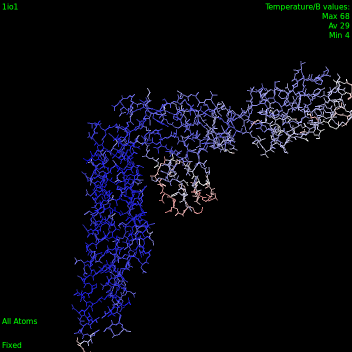
  • Temperature color schemes

    12
    1
    0 Votes
    12 Posts
    10k Views
    StephaneS
    Sorry, should have mentioned that. Great!
  • How do you notify an app that the active document is closed ?

    Solved
    2
    1 Votes
    2 Posts
    3k Views
    YassineY
    Hi Clement, To listen to the document closed signal I connect my nodes to a custom signal like this: SB_FOR(SBNode* node, atomIndexer) node->connectBaseSignalToSlot(this, SB_SLOT(&SENormalModesAnalysisApp::onBaseEvent)); Then, in my onBaseEvent function I catch the NodeEraseBegin event which corresponds to the signal emitted when the document is closed or the nodes erased. void SENormalModesAnalysisApp::onBaseEvent(SBBaseEvent* event) { if (event->getType() == SBBaseEvent::NodeEraseBegin) { //disconnet the connected nodes SB_FOR(SBNode* node, atomIndexer) {node->disconnectBaseSignalFromSlot(this, SB_SLOT(&SENormalModesAnalysisApp::onBaseEvent)); } //....// } Remember to disconnect the connected nodes. Hope I answered your question, Yassine