Skip to content
  • GROMACS Wizard issue

    SAMSON Extensions
    4
    0 Votes
    4 Posts
    4k Views
    S
    It is saying it as a problem. Backing up of file is working anymore. Rest of the log is normal but it got stuck at this point and then nothing works.
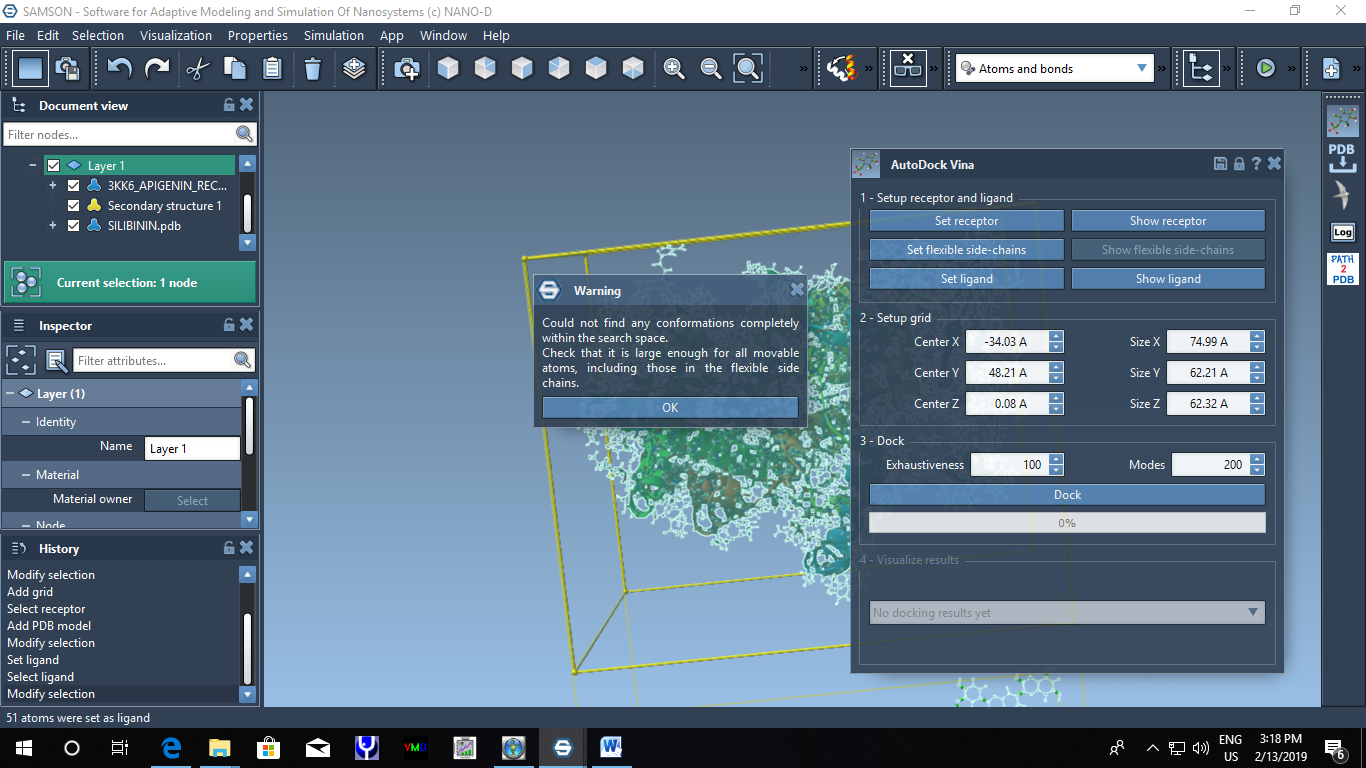
  • saving PDB files of complexes in Autodock

    SAMSON Extensions
    5
    0 Votes
    5 Posts
    6k Views
    S
    @admin one pdb file having protein and ligand docked.
  • Changelog for developers

    Apps
    17
    1 Votes
    17 Posts
    13k Views
    E
    That is great!! Looking forward to it!
  • Gromacs (saving last frame as PDB or Gro)

    Feature requests
    2
    0 Votes
    2 Posts
    3k Views
    DmitriyMarinD
    Dear @sudhir , To save only the last frame in the trajectory into a PDB file, you can select a path corresponding to this trajectory and set the step to the last one in the Inspector (click Ctrl/Cmd + I to open the Inspector in SAMSON), this will update the structural model - it will correspond to the step you chose. Now you can select the structural model in the Document view and save only the selection as a PDB file, for that in the menu go to Selection > Save selection as and select the PDB format in the types of files. As for now, there is no direct way to save a .gro file from within SAMSON. The GROMACS Wizard Element saves the temporary files, including some gro files in a specific scratch folder in your user's directory, the path is different for different OS (Windows, Linux, Mac OS). You can either try looking for the Scratch/GROMACS on your system or check out the path to SAMSON's scratch folder by launching SAMSON-Core-Console executable version and checking for a line with SBGPath::getScratchPath() in the beginning of the console output. On Windows it will be something like: C:\Users\user\AppData\Local\OneAngstrom\SAMSON\DATA\0.8.3\Scratch.
  • Tutorial for Protein-ligand complex MD simulation

    Feature requests
    3
    0 Votes
    3 Posts
    4k Views
    DmitriyMarinD
    Dear @sudhir , For the protein-ligand simulation, you can check out the Ligand Path Finder tutorial for Ligand Path Finder Element. You can also check out the Ligand unbinding pathway search tutorial for the free Ligand Unbinding Search Element (available only on SAMSON 0.7.0). As for saving MD trajectories, you can check out the tutorial on exporting atoms trajectories along paths which uses the Export Along Paths Element. This Element allows you to export trajectories into PDB files which you can further analyze using other software. You can also do some analysis and post-processing in SAMSON thanks to the Python Scripting Element, you can check out the Python Scripting guide for more information, for example, the Computing RMSD sample. To simulate a protein-membrane complex you can use the GROMACS Wizard Element, using this Element you can easily prepare your system for GROMACS simulation, minimize and equilibrate the structure, and simulate your system using GROMACS. See the GROMACS Wizard tutorial for more information.
  • autodock problem

    SAMSON Extensions
    4
    1
    0 Votes
    4 Posts
    6k Views
    S
    Thanks a lot. Now it is working in the advanced element of AutoDock (normal one I did not check) Thank you
  • ligand parameterization in gromacs

    SAMSON Extensions
    3
    0 Votes
    3 Posts
    4k Views
    S
    Dear Stephane, Thanks for the link but I tried this too. I does not work all the time. But as I mentioned in YASARA structure, parameterization is a childs' play. How they do it is secret for me but it is kool. If there will be something like that in SAMSON too, it will be very easy to run complex simulation affectively.
  • Protein/DNA/RNA model fitting in cryoEM map

    Feature requests
    3
    0 Votes
    3 Posts
    3k Views
    S
    Hi, Actually interactive fitting only VMD is providing and that is also very limited. VMD chops off your actual EM map according to the provided pdb model instead of fitting it into the density. So, as I want to fit multiple structures in the map, I can not do it. I was trying to fit my multi-chain PDB in the same map but it failed. Chimera do not provide interactive fitting and it fits the protein poorly in the map. Therefore, it is hard to get a proper knowledge of the conformation of any of these tools. Rest tools are more programming centric, making them hard to be used by biologists having limited programming skills like me.
  • oligo simulation

    Simulation
    2
    0 Votes
    2 Posts
    3k Views
    DmitriyMarinD
    Dear @Jeremy You have two ways of programming (e.g. this preparation step) in SAMSON: Using SAMSON SDK which allows you to develop your own SAMSON Element using SAMSON API, C++, and Qt. For that, you need to register on SAMSON Connect as a developer which is free and one-click. Using Python Scripting Element, which allows you to access most of the SAMSON API to process and automatize tasks. See the Python Scripting guide, you can check out tutorials there and the Python Scripting samples. In the 1st case, you have more functionality and control over processes. The 2nd one is faster to develop and try, and you can further use the developed scripts for your tasks. For the simulation in which you are interested in, you can use GROMACS Wizard Element (see the GROMACS Wizard tutorial), which allows you to easily run simulations using GROMACS (it comes with the Element) including various temperature ranges. There is yet no possibility to run simulations automatically, but you can launch many simulations in a queue using jobs. In future releases, it will be possible to run them on the cloud. You can freely try this Element for 30-days. The size of the system for simulation is limited by your computer performance (RAM, CPU, GPU) and the max computation time you are willing to spend. In SAMSON it is possible to load systems with tens of thousands of atoms (depending on the performance of your computer).
  • Install fails for Linux

    Getting started
    14
    0 Votes
    14 Posts
    10k Views
    DmitriyMarinD
    @elisa A common problem due to Windows being case-insensitive. :)
  • Problem opening .gro files

    SAMSON
    1
    0 Votes
    1 Posts
    3k Views
    No one has replied
  • XYZ display

    Feature requests
    2
    0 Votes
    2 Posts
    3k Views
    AdminA
    Hi @Cyril, thank you very much for the idea!
  • 0 Votes
    7 Posts
    6k Views
    A
    @oneangstrom Yes. Firstly Debug, then Release.
  • Applying rotations to my custom model

    Modeling
    3
    0 Votes
    3 Posts
    4k Views
    E
    Dear Stephane, Yes, we have atoms. The 0.8.0 solution will be the best long-term, as we are dealing with large systems and FPS drop a lot when translating or rotating, but for now I will check the ParticlePositionChanged event. Thanks!! Elisa
  • SAMSON crashes while opening pdb files

    Getting started
    14
    0 Votes
    14 Posts
    11k Views
    DmitriyMarinD
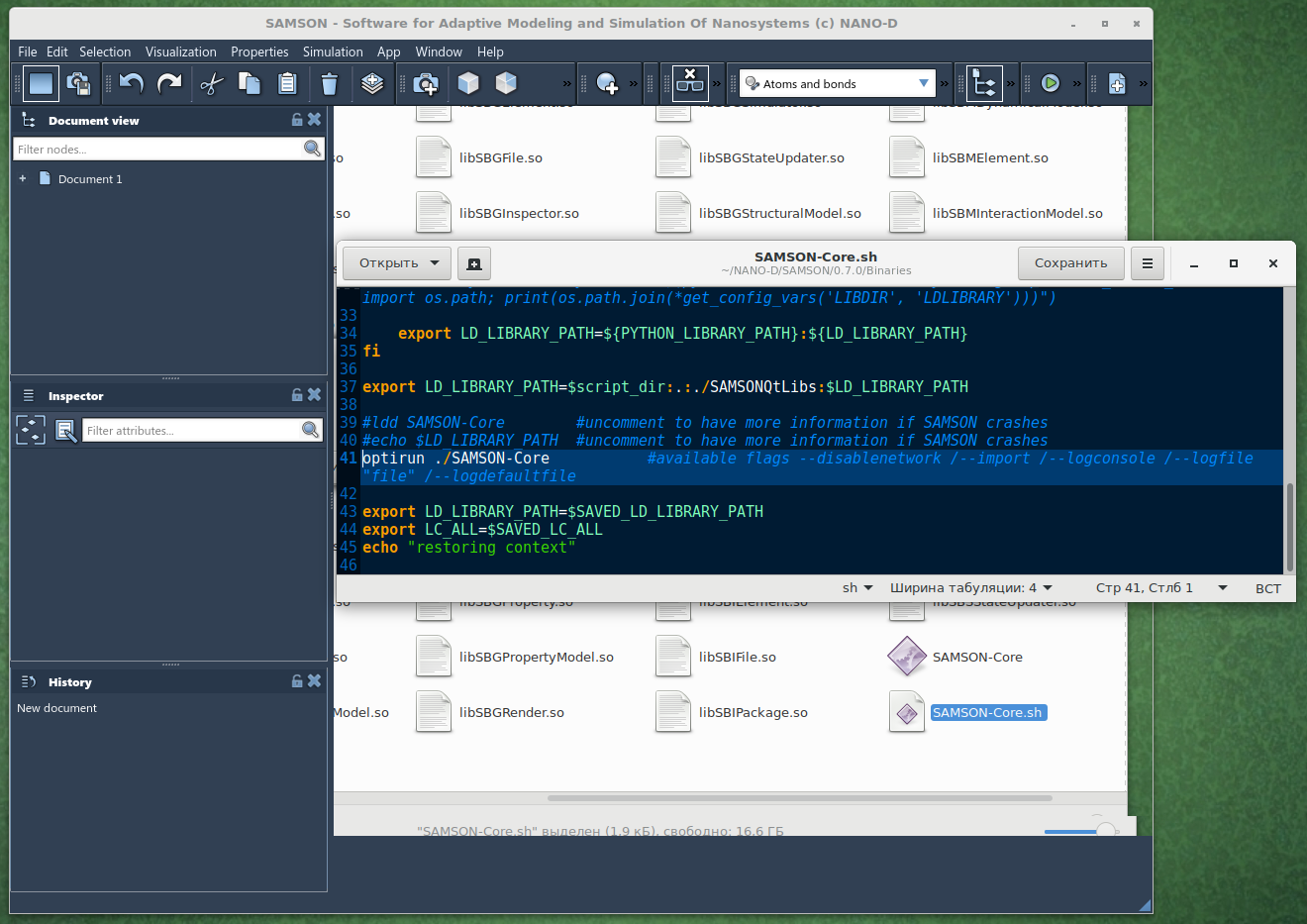
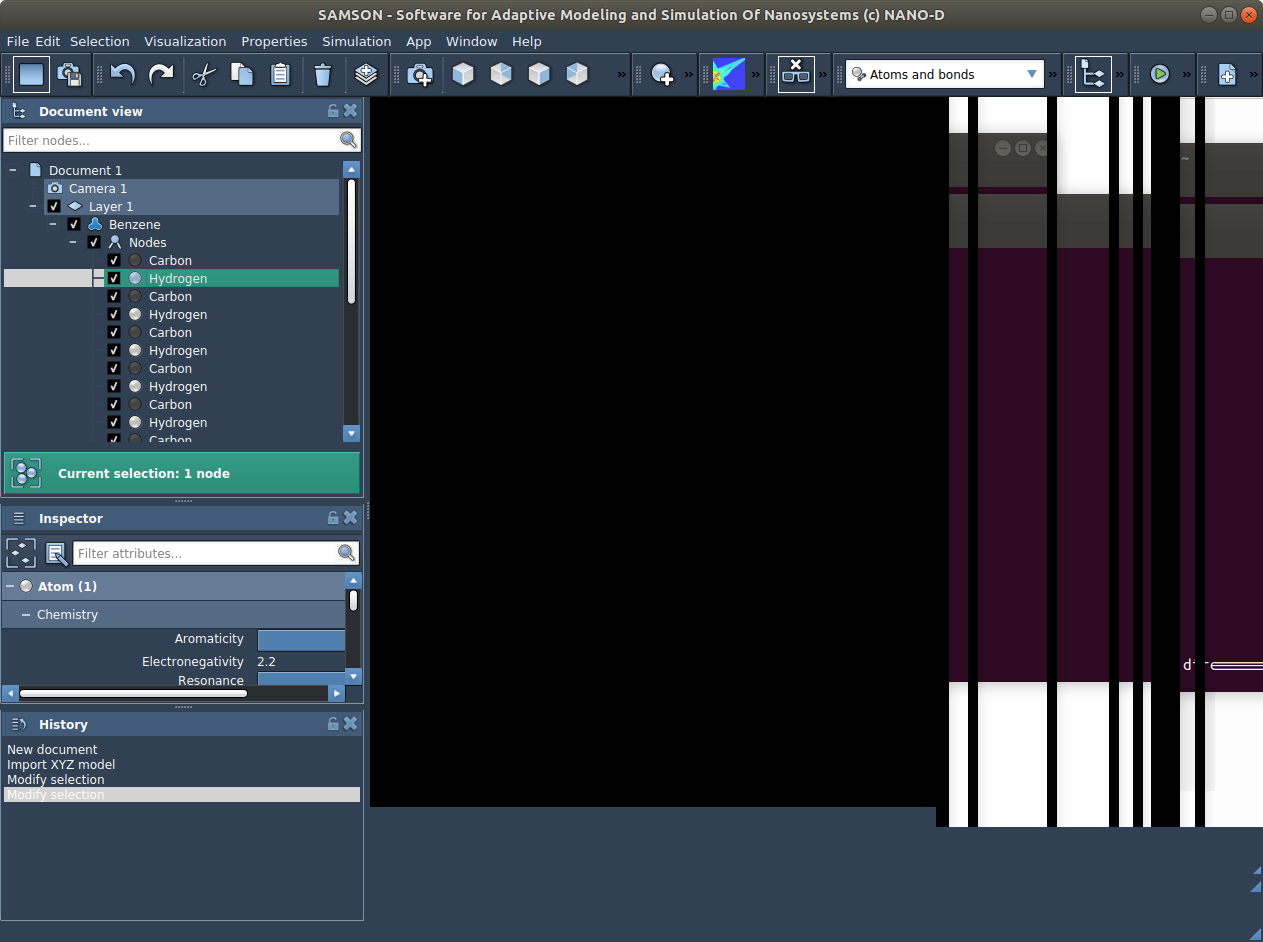
    Dear @Radoslaw , We have fixed an issue in SAMSON which was causing a problem with OpenGL context on Intel integrated graphics processors. We hope it might as well resolve the issue you had and we would be grateful if you could try re-installing SAMSON to check whether it fixes it.
  • SAMSON with hybrid graphics cards (Intel/Nvidia)

    Getting started
    20
    1
    0 Votes
    20 Posts
    16k Views
    DmitriyMarinD
    Dear @Ivan , Thanks to issues raised on the forum, we have fixed the issue in SAMSON causing problems with the viewport when using Intel integrated graphics processor. This issue might have been causing the problem you have posted in this thread. The new installation of SAMSON should resolve the issue.
  • 0 Votes
    43 Posts
    64k Views
    DmitriyMarinD
    Hello @Robert , Thanks to your feedback, we have fixed the issue in SAMSON when using Intel integrated graphics processor. You can try installing SAMSON.
  • 0 Votes
    2 Posts
    3k Views
    DmitriyMarinD
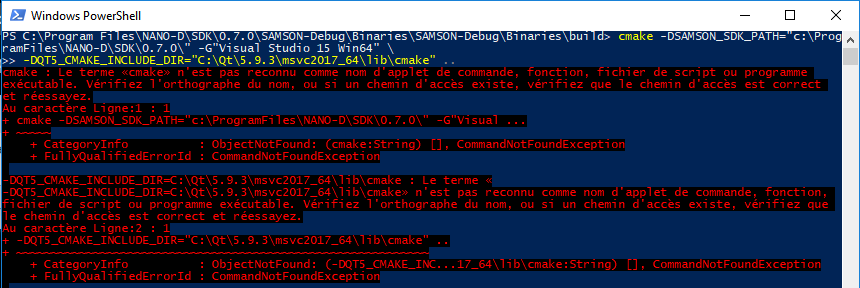
    Dear @Jean-Baptiste , Thank you for your interest in SAMSON! According to your screenshot, I think the problem here is due to an unnecessary newline character in the command you past in the PowerShell terminal due to copying. Please, note: we recommend not to build your Elements in the SAMSON Debug folders - you should use a dedicated folder to develop your SAMSON Elements If you have -DQT5_CMAKE_INCLUDE_DIR environment variable defined in your system you can compile for Visual Studio 2017 like this: cmake -DSAMSON_SDK_PATH="C:\Program Files\NANO-D\SDK\0.7.0" -G"Visual Studio 15 Win64" .. else like this: cmake -DSAMSON_SDK_PATH="C:\Program Files\NANO-D\SDK\0.7.0" -G"Visual Studio 15 Win64" -DQT5_CMAKE_INCLUDE_DIR="C:\Qt\5.9.3\msvc2017_64\lib\cmake" .. You can copy the command from here. You can also check whether the cmake is defined in your system by e.g. checking its version number: cmake --version I would also recommend to follow the updated tutorial on Building on Windows in the Developer guide.
  • Serialization/Unserialization issues

    Modeling
    17
    1 Votes
    17 Posts
    12k Views
    E
    Hi, I think I found the problem. Some initialization functions in the constructor of my class were overriding the unserialization. I tried to make a quick fix but when I do static casts in the unserialize function, SAMSON is crashing, so I will modify my constructor and check, it will take a bit though. Thanks for your help!
  • Qt dependencies for Windows 10

    Getting started
    23
    0 Votes
    23 Posts
    30k Views
    E
    Hi Dmitriy, My CMakeLists for the Python Bindings version is like you posted above, so I'm not linking in the debug mode. My other branches don't have any reference to Python in the CMakeLists, so they are not linking neither.