Skip to content
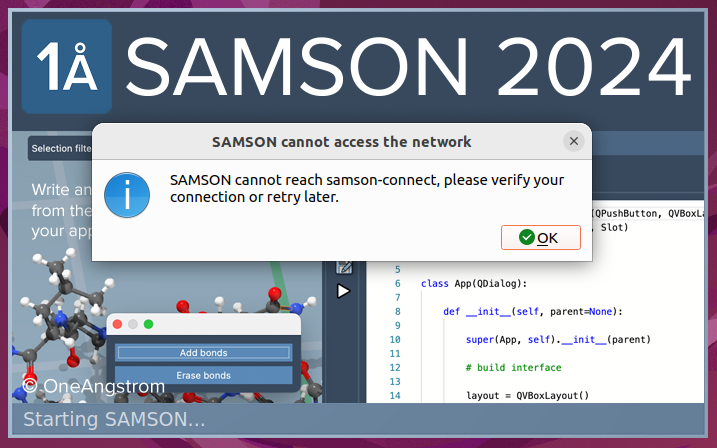
  • SAMSON cannot reach samson-connect under VPN

    SAMSON
    12
    3
    0 Votes
    12 Posts
    4k Views
    A
    thank you
  • Load and visualize a xyz trajectory frame by frame

    SAMSON
    13
    0 Votes
    13 Posts
    6k Views
    DmitriyMarinD
    Dear @Luis , Great! Thanks for checking and for reporting the issue in the first place!
  • Trace on Ubuntu 24.04

    Getting started
    6
    0 Votes
    6 Posts
    2k Views
    DmitriyMarinD
    Possibly, it is not supported with Cycles kernels (from Blender's Cycles) that we ship. We will try to see what we can do here. Or, maybe, the Cycles kernels we ship are not compatible with the CUDA version installed on your OS.
  • 0 Votes
    2 Posts
    2k Views
    DmitriyMarinD
    Dear @SHANLY , You can find the description of the UFF and IM-UFF used in SAMSON in the following papers: UFF: https://doi.org/10.1002/jcc.24309 IM-UFF: https://doi.org/10.1016/j.jmgm.2017.08.023 And you can find information on how to perform simulations in SAMSON using the integrated force fields in the User Guide: Modeling and Simulation. Could you please tell us more about what you would like to achieve?
  • Samson opens .sam files, but I can't see the content

    Getting started
    3
    0 Votes
    3 Posts
    1k Views
    DmitriyMarinD
    Dear @Grigorii , Yes, currently, Adenita does not serialize/save its visual model when saving into a file. You need to reset it via Adenita.
  • Using IM-UFF

    SAMSON
    4
    1 Votes
    4 Posts
    1k Views
    DmitriyMarinD
    Currently, there is no public extension in SAMSON that can launch/use LAMMPS. But you can export your system into a LAMMPS Data format and load LAMMPS files (data and trajectories) back in SAMSON. We plan on adding the support for periodic boundary conditions in one of the future releases of SAMSON. For some systems, you can simulate without PBC or by freezing the boundary atoms to fix them. You can also combine simulations in SAMSON with e.g. ASE package using Python, see Python scripting: Combining SAMSON simulation with ASE calculators
  • Change installation path in windows

    Feature requests
    2
    0 Votes
    2 Posts
    1k Views
    DmitriyMarinD
    Dear @David-Adrian , Thank you for your feedback! We will consider this for future releases. Where would you like to install it, e.g. on another drive or a USB-stick?
  • How to show Atomtype Labels from GROMACS .gro File in SAMSON

    SAMSON
    6
    1 Votes
    6 Posts
    2k Views
    DmitriyMarinD
    Dear @Mattia-Felice , Thank you for the feedback! We will consider this for the next releases of SAMSON. We will surely add more labeling possibilities in the next release. As for formats from ab initio packages, SAMSON currently supports only Molden and it loads only the molecular structure from it. But we can add the possibility to load other data from it as well.
  • 0 Votes
    2 Posts
    1k Views
    StephaneS
    Dear Rudy, sorry for the delay. You can simply merge the ligand structure into the receptor structure. Precisely, in the document view, drag the ligand node and drop it onto the receptor node (more generally, you can drag and drop nodes around to reorganize your entries). Then, when you select the receptor and compute the normal modes, the ligand will be taken into account.
  • Autodock Vina PDBQT generation

    SAMSON Extensions
    4
    0 Votes
    4 Posts
    1k Views
    DmitriyMarinD
    Dear @Serena , No, we do not use Open Babel or anything else for that. It is done by the AutoDock Vina Extended module.
  • Not abe to install the application

    Getting started
    4
    1
    0 Votes
    4 Posts
    1k Views
    DmitriyMarinD
    Dear @AntiDown , Ok. I am glad it works for you now. Thank you for your reply!
  • 0 Votes
    5 Posts
    2k Views
    DmitriyMarinD
    Great! I am glad that it worked! Do not hesitate to contact us if you have any questions or feedback.
  • 0 Votes
    4 Posts
    2k Views
    DmitriyMarinD
    Great! Thanks for letting us know.
  • New version does not open

    Getting started
    2
    1
    0 Votes
    2 Posts
    897 Views
    AdminA
    Hi Pedro, We're sorry about the issue. Could you please try to delete the following folders: (IMPORTANT: make sure you don't have e.g. personal SAMSON documents in these folders that you might want to preserve.) C:/Users/[USERNAME]/AppData/Local/OneAngstrom/ C:/Users/[USERNAME]/OneAngstrom/ C:/Users/[USERNAME]/Documents/OneAngstrom/ and try to reinstall SAMSON to see what happens? Maybe there is a need to specify in your Windows settings that SAMSON should use specifically the NVIDIA GPU ? Please let us know.
  • Double bonds showing as thick bonds (not double)

    Getting started
    2
    1
    0 Votes
    2 Posts
    837 Views
    AdminA
    Dear @Filipe Normally it should be rendering double bonds by default, but you can change this setting in Preferences > Rendering > Structural models - check the Render multiple bonds option: [image: 5d539e47-b05e-4872-8cc1-d1d36cb34dc5-image.png] As for the PBT format, currently, SAMSON does not have the PBT format exporter, but you can export in OBJ or glTF formats for use in Blender. Best, The SAMSON Team
  • Python support for GAMESS project

    Share Python scripts
    2
    2 Votes
    2 Posts
    2k Views
    OneAngstromO
    Great contribution!
  • how to define ribbons color?

    SAMSON
    2
    0 Votes
    2 Posts
    822 Views
    DmitriyMarinD
    Hi @albert , There are several options for the colorization of structures or visual models (Ribbons is a visual model) based on chains: The colorization using color schemes. First, select the Ribbons visual model in the Document view that you would like to colorize. Then: Biology > Colorize > Chain ID or Chain (illustrative) (i.e. in the style of D.S.Goodsell) [image: aedf2d1e-77e3-42cd-af72-51400ba6f73b-image.png] You can also choose "Custom..." from the list and specify the color palette. The colorization with constant colors per chain. Choose a chain in the Document view. Set the color using Visualization > Colorize. See more in User guide - Colorizing and User guide - Visualizing.
  • Is there a way to export vector image?

    SAMSON
    2
    0 Votes
    2 Posts
    806 Views
    AdminA
    Dear @Zilong It’s not currently possible to export vector images. However, you can change the image resolution in the preferences: Open the Preferences (Menu Interface > Preferences) In the Preferences, go to Interface > Captures to change capture settings, including the resolution.
  • 2 Votes
    2 Posts
    1k Views
    DmitriyMarinD
    Great! Thanks Tom!
  • 1 Votes
    2 Posts
    1k Views
    DmitriyMarinD
    Thanks Tom!